Clever Cable Management Desk Solutions That Work
Clever Cable Management Desk Solutions That Work
INTRO
Raise your hand if the area under your desk looks like a spaghetti monster moved in and set up camp,don’t be shy, we’ve all been there. Whether you’re working from home, gaming, or just trying to keep your space functional, cable management on your desk can feel like a full-time job. The struggle is real: tangled cords, dust-collecting power strips, and that one mystery cable that you’re too scared to unplug in case something stops working.
But here’s the thing: good cable management isn’t just about aesthetics (although, let’s be honest, a tidy desk just feels better). It’s also about reducing stress, boosting productivity, and maybe,just maybe,saving your sanity. If you’re tired of playing “guess what this cord does,” or if you’ve tripped over one too many charging cables, this guide is for you. Stick around for clever cable management desk solutions that actually work, and get ready to reclaim your workspace!
—
WHY THIS MATTERS
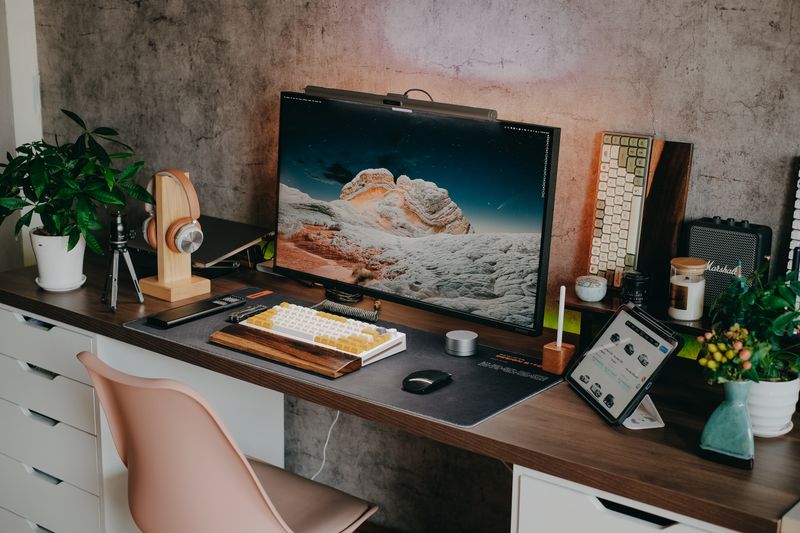
Let me paint you a scenario: you’re on a video call, everything’s going great, and then,BAM. You accidentally yank out your webcam cable with your foot, and suddenly your screen goes black. Cue the awkward apologies and frantic reconnection attempts. Been there, done that.
A cluttered desk isn’t just annoying, it’s actively disruptive. Studies show that a messy workspace can increase stress levels and reduce focus. And let’s not forget the dust bunnies that seem to have a personal vendetta against your cords. Trust me, once you get your cable situation under control, you’ll wonder why you didn’t do it sooner.
When I first tackled cable management for my desk, I was overwhelmed. I had chargers for my phone, laptop, tablet, and more. Every time I cleaned, it was like untangling a hundred tiny snakes. But with the right tools and strategies, I turned my desk from a cable jungle into a sleek, functional workspace. And you can really do the same. Let’s get started!
—
MAIN TIPS/STEPS
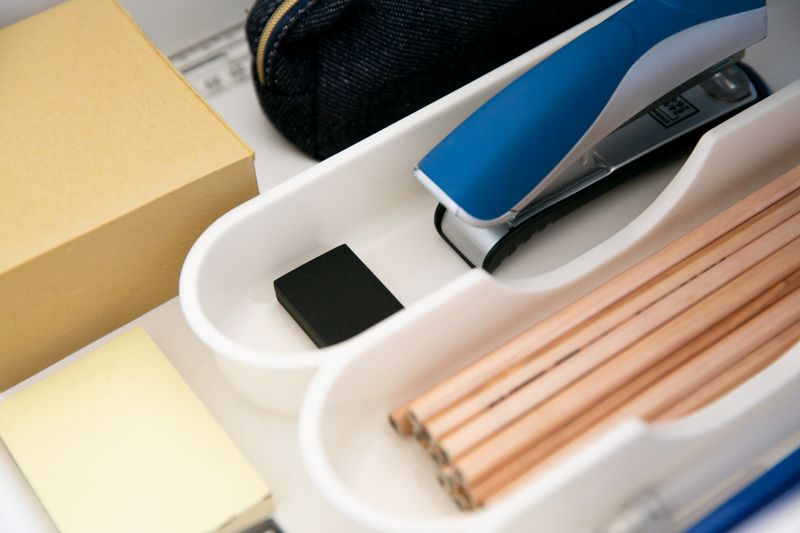
1. Use Cable Sleeves for a Clean Look
If your desk has a bunch of visible cables running from your computer to peripherals, a cable sleeve is a big win. These flexible, tube-like contraptions bundle multiple cords together, instantly making them look neater. Plus, they’re super affordable and come in various sizes to fit your setup.
For example, I used a neoprene cable sleeve to bundle together the cables running from my computer to my monitor, keyboard, and speakers. It took five minutes to set up and made a HUGE difference. Just zip them up, and boom,your desk looks like a catalog photo.
2. Invest in Clip Organizers
Ever notice how charging cables have a magical way of falling behind your desk? Enter cable clips. These simple little gadgets stick to the edge of your desk and hold your cords in place. They’re perfect for frequently used cables, like phone chargers or headphones.
I stick a few of these on the edge of my desk to keep my phone and tablet chargers from disappearing into the abyss. Now, whenever I need to plug in, the cord is right where I need it. No more fishing behind the desk!
3. Hide Power Strips with a Cable Box
Power strips are lifesavers, but let’s be real,they’re not exactly pretty. Instead of leaving them out in the open to collect dust, consider hiding them in a cable management box. These boxes come with slots for cables to go in and out, so everything stays organized and out of sight.
I use a white cable box that blends in with my walls, and honestly, it’s a big win for my setup. Plus, it’s safer,no more exposed outlets or tripping hazards.
4. Mount Power Strips Under the Desk
Speaking of power strips, why not take things a step further and mount yours underneath the desk? This not only hides it from view but also makes it easy to access. You can use adhesive strips or screws to secure the power strip.
For my desk, I grabbed some heavy-duty Velcro strips and stuck my power strip under the back edge. Now, I can plug in and unplug devices without bending down or cluttering my floor. It’s a small change with a big impact.
5. Label Your Cables for Easy Identification
Ever unplug something, only to realize it wasn’t the cable you thought it was? Save yourself the headache by labeling your cords. You can use simple cable tags, washi tape, or even strips of masking tape to write on.
I labeled all my cables after accidentally unplugging my external hard drive mid-backup,lesson learned. Now, each cable has a small tag that says what it’s for, and I haven’t had a mix-up since.
6. Use Velcro Straps or Twist Ties
Got extra-long cables creating loops all over your desk? Tame them with Velcro straps or twist ties. These are perfect for bundling up excess cable length and keeping your setup tidy.
I had a USB cable that was way too long for what I needed. I wrapped up the extra length with a Velcro strap and tucked it neatly under my desk. It was a simple fix, but it made a world of difference in decluttering my space.
7. Go Wireless Where You Can
One of the easiest ways to manage cables is to eliminate them altogether. Wireless keyboards, mice, and headphones can significantly reduce cable clutter on your desk. And if you’re worried about charging them, a wireless charging pad can keep things streamlined.
I swapped out my wired mouse for a Bluetooth one, and I couldn’t be happier. My desk feels so much cleaner now, and I don’t miss the constant frustration of tangled cables.
—
PRO TIPS OR COMMON MISTAKES

Pro Tip 1: Plan Before You Start
Don’t just dive in and start unplugging cables,it’ll only create chaos. Instead, map out a plan. Identify which cables are staying on your desk, which can be replaced with wireless options, and where you’ll route everything.
Pro Tip 2: Don’t Cheap Out on Cable Management Supplies
It’s tempting to grab the cheapest cable management tools you can find, but trust me, you get what you pay for. I once bought bargain-bin adhesive cable holders, only to have them fall off within days. Spend a couple of extra bucks for better-quality items,it’s worth it.
Common Mistake 1: Ignoring Cable Length
When buying new cables, don’t just grab the first one you see. Measure the distance between your devices and power outlets to avoid ending up with cables that are too short or unnecessarily long.
Common Mistake 2: Overloading Power Strips
It’s easy to keep plugging devices into a power strip until it’s packed, but this can be dangerous. Spread your devices across multiple outlets if you’re working with high-powered gadgets like gaming PCs or monitors.
Pro Tip 3: Use Double-Sided Tape for Lightweight Cables
If you have lightweight cables that need to stay put, double-sided tape can work wonders. I use it to stick my router’s Ethernet cable along the back of my desk,it’s simple, cheap, and effective.
—
Products That Actually Help
A few things that make a real difference here:
- Cable Management Box – This box hides the power strip and cord chaos under the desk.
- Desk Organizer Tray – A tray keeps pens and sticky notes from drifting across the whole desk.
- Monitor Stand With Storage – Raising the monitor frees up a drawer’s worth of desk space underneath.
Note: links above go to Amazon search results for these products.
QUICK SUMMARY / TL;DR
- Cable sleeves: Keep multiple cords bundled together for a sleek look.
- Clip organizers: Prevent frequently used cables from falling behind your desk.
- Cable boxes: Hide unsightly power strips and manage cord chaos.
- Under-desk power strips: Free up floor space by mounting power strips.
- Label cables: Identify each cord easily to avoid mix-ups.
- Velcro straps/twist ties: Tidy up long, loose cables.
- Go wireless: Minimize cables by using wireless devices.
When it comes to cable management desk solutions, it’s all about keeping things functional and stress-free. There’s no one-size-fits-all answer, but with these tips, your desk can go from chaos to calm. Ready to transform your workspace? Start small and make your setup work for you. You’ve got this!