Organizing Your Home Office: A Filing System Guide
Organizing Your Home Office: A Filing System Guide
—
SECTION 1: INTRO
Picture this. You’re sitting at your home office desk, ready to work, only to spend the next 15 minutes searching for “that one paper” buried in a pile of chaos. Sound familiar? If so, you’re not alone. Creating a functional filing system for your home office is not just a nice-to-have, it’s a sanity saver.
In today’s world of remote work, side hustles, and online schooling, the home office has become more than just a desk and chair. It’s the command center of your life. But if your workspace is a mess, it can drain your productivity, increase stress, and lead to missed deadlines.
Why does this happen? It’s simple. Without a system, papers pile up, mail gets lost, and important documents disappear just when you need them the most. The clutter becomes a visual and mental distraction, turning even the simplest tasks into a chore.
The good news? Organizing your home office doesn’t have to be overwhelming or time-consuming. By creating a clear and personalized filing system, you can take control of the chaos, save time, and actually enjoy sitting down to work. Whether you’re a freelancer managing client invoices, a parent keeping track of school documents, or just someone who wants a more functional workspace, having an efficient home office filing system can truly be a big win. Let’s talk about how to make that happen.
—
SECTION 2: WHY THIS MATTERS
Confession time. A few years ago, my “filing system” was…well, nonexistent. Instead of a proper home office setup, I had papers shoved into a junk drawer, receipts stuffed into a shoebox, and important tax documents mixed in with old grocery lists. It wasn’t pretty.
Then one day, I realized I couldn’t find a critical form I needed for my taxes. Cue 48 hours of frantic searching. I finally found it,crumpled under a stack of magazines,but the stress wasn’t worth it. According to a survey by Brother International, the average person spends 76 hours per year looking for misplaced items. Sound like a waste of time? It is.
That’s when I decided it was time to get my act together. I built a filing system for my home office, and it’s been a big win for my productivity and peace of mind. Whether you’re trying to manage bills, keep track of work documents, or store sentimental keepsakes, organizing your home office is life-changing. After all, when your workspace is clear and organized, your mind can focus better, and you’ll spend less time managing clutter and more time being productive.
—
SECTION 3: MAIN TIPS/STEPS
1. Start with a Decluttering Session
Before creating any filing system for your home office, you need to clear out the clutter. Toss old receipts, expired warranties, and any documents you no longer need. Be ruthless. If you haven’t touched a file in years and it’s not legally required, it’s time for it to go.
Example: I once found a pile of bank statements from six years ago. Spoiler: I didn’t need any of them. Now, I shred old documents regularly to avoid buildup.
Decluttering isn’t just about throwing things away,it’s about making space for the things that really matter. Think of it as the first step toward creating a workspace that truly supports your goals.
—
2. Categorize Your Papers
Decide on broad categories that make sense for your work and personal life. Common categories include:
- Bills & Invoices
- Taxes
- Medical Records
- Work Documents
- Insurance Policies
Having clear categories helps you know exactly where to file and retrieve papers.
Pro Tip: Stick with just a handful of categories. Overcomplicating things makes it harder to stay organized.
Practical Example: In my home office, I initially created way too many categories,one for each kind of bill, one for each year’s medical records, and so on. It was a nightmare to maintain. Now, I have just five main categories, and it’s much easier to keep everything in order.
—
3. Invest in the Right Supplies
Don’t underestimate the power of good supplies. Get yourself some sturdy file folders, labels, and a filing cabinet or portable file box. Color-coding can also help you visually organize your home office filing system.
Example: I use blue folders for financial documents, red for medical, and green for anything tax-related. The colors pop, making it a no-brainer to find what I need quickly.
You don’t have to spend a fortune either. Many dollar stores carry affordable organizing supplies that look great and get the job done.
—
4. Go Digital Where Possible
Paperwork can pile up quickly, but luckily we live in the digital age. Scan and store documents on your computer or a cloud-based service. Most smartphone apps (like Adobe Scan or CamScanner) make this process a breeze.
Example: I scan all my receipts for big purchases and file them in a cloud folder named “Receipts [Year].” This way, I can easily access them if I ever need proof of purchase.

Additional Tip: Don’t forget to back up your scanned documents regularly. Consider using a cloud storage service like Google Drive, Dropbox, or OneDrive for added peace of mind.
—
5. Create a “To-File” Folder
Life happens, and you won’t have time to file every piece of paper the moment it comes in. That’s where a “To-File” folder comes in handy. It’s a temporary home for papers that need to be filed later.
Pro Tip: Set a recurring reminder on your calendar to empty this folder weekly. Otherwise, it will become another junk pile.
—
6. Label Everything Clearly
Labels are your best friend when it comes to organizing your home office filing system. Handwritten labels work fine, but a label maker can really take things up a notch. The clearer your labels, the easier it is to find what you need,no more guessing games.
Example: Instead of labeling a folder “Stuff,” be specific: “2023 Monthly Utility Bills.” Future you will thank you.
—
7. Implement a Maintenance Routine
A filing system is only as good as its upkeep. Schedule regular check-ins,monthly or quarterly,to purge old documents and reorganize as needed.
Example: I like to set aside the last Friday of the month to review my files. It takes 15 minutes and keeps everything running smoothly.
—
8. Add a Reference Section
Sometimes you’ll come across documents you don’t need often but still need to hold onto, like user manuals or home improvement records. Create a “Reference” category or folder for these types of items.
Example: I organize my home appliance manuals in a single accordion folder marked “Reference: Manuals.” This way, if my dishwasher ever breaks, I know exactly where to find the information.
—
SECTION 4: COMMON MISTAKES & PRO TIPS
Even with the best intentions, it’s easy to fall into some common pitfalls when creating a filing system for your home office. Here are some tips to avoid headaches:
- Don’t Overcomplicate It
Some people create so many categories and subcategories that they end up with a system that’s harder to manage than the original mess. Keep it simple. Think broad categories and only subdivide if really necessary.
- Avoid the “I’ll Get to This Later” Trap
It’s tempting to dump papers into a pile or a “junk drawer” with plans to sort it later. Here’s the thing: later rarely happens. The “To-File” folder and a weekly maintenance routine will save you from this mistake.
- Not Backing Up Digital Files
Going paperless is great, but don’t forget to back up your digital files. Use a reliable cloud storage service, and if you’re extra cautious, keep an external hard drive as a backup for your backup.
- Ignoring the Impact of Physical Placement
You’re more likely to use your filing system if it’s convenient. If you have to do yoga poses just to pull out your filing cabinet, you probably won’t bother. Keep your system easily accessible and within arm’s reach of your desk, if possible.
—
SECTION 5: QUICK SUMMARY / TL;DR
If you’re feeling overwhelmed by paper and clutter in your home office, start organizing with these steps:
- Declutter your space and toss what you don’t need.
- Categorize your papers into clear and simple groups.
- Stock up on supplies like folders, labels, and a filing cabinet.
- Scan and store documents digitally when you can.
- Use a “To-File” folder to keep temporary clutter in check.
- Label everything clearly to reduce decision fatigue.
- Maintain your system regularly to keep it functional.
A little effort now will save you hours of stress later. Ready to reclaim your productivity and peace of mind? It’s time to set up that home office filing system!
—
Products That Actually Help
A few things that make a real difference here:
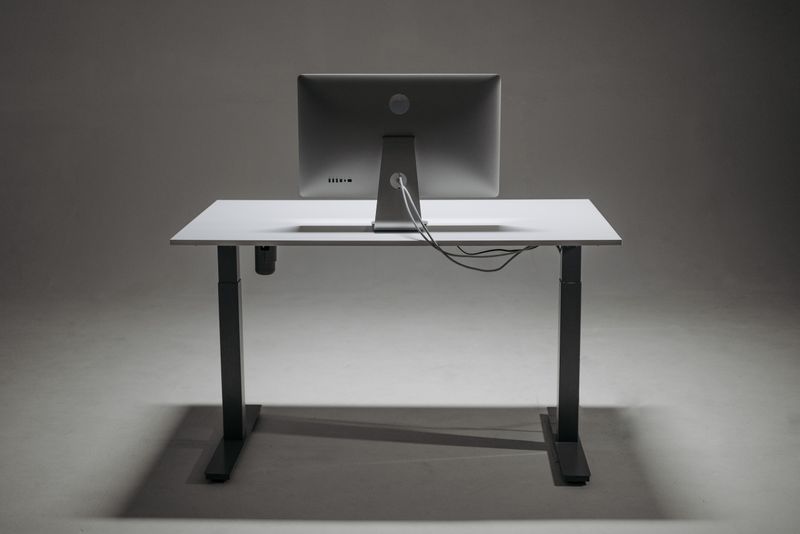
- Cable Management Box – This box hides the power strip and cord chaos under the desk.
- Desk Organizer Tray – A tray keeps pens and sticky notes from drifting across the whole desk.
- Monitor Stand With Storage – Raising the monitor frees up a drawer’s worth of desk space underneath.
Note: links above go to Amazon search results for these products.